Lumion - AI Tool for Architecture & Design

4.70

Lumion is industry-leading 3D rendering software that transforms architectural design workflows with real-time rendering capabilities, making high-end visualization fast, intuitive, and stress-free for architects, landscape architects, interior designers, and urban planners worldwide. With over 25 years of pioneering real-time 3D visualization technology, Lumion integrates seamlessly with all major CAD and BIM tools, including the revolutionary AI image upscaler in Lumion Pro 2025 that renders up to 5x faster. The platform serves professionals across architecture, landscape design, interior design, and urban planning with its comprehensive Lumion Cloud collaboration platform included free with all subscriptions.

Key Features

Real-time ray tracing technology in modeling tools
AI image upscaler in Lumion Pro 2025 (renders up to 5x faster)
Lumion Cloud collaboration platform (free with all subscriptions)
Seamless integration with all major CAD and BIM software
High-quality asset library with thousands of objects
Customizable FX stacks and post-processing
Atmospheric controls (lighting, weather, seasons)
4K to 8K resolution rendering
360° panoramic visualization
LiveSync integration with major CAD/BIM tools

Overview

Lumion is industry-leading 3D rendering software that transforms architectural design workflows with real-time rendering capabilities, making high-end visualization fast, intuitive, and stress-free for architects, landscape architects, interior designers, and urban planners worldwide. With over 25 years of pioneering real-time 3D visualization technology, Lumion integrates seamlessly with all major CAD and BIM tools, including the revolutionary AI image upscaler in Lumion Pro 2025 that renders up to 5x faster. The platform serves professionals across architecture, landscape design, interior design, and urban planning with its comprehensive Lumion Cloud collaboration platform included free with all subscriptions.
Research Highlights & Evaluation Tips

Lumion advertises key functions such as Real-time ray tracing technology in modeling tools, AI image upscaler in Lumion Pro 2025 (renders up to 5x faster), Lumion Cloud collaboration platform (free with all subscriptions), Seamless integration with all major CAD and BIM software. These capabilities are pulled directly from the vendor’s public materials so your team can gauge how the platform copes with everyday project requests.

Teams typically deploy Lumion for workflows like Architectural visualization and presentations, Interior design renderings, Landscape architecture visualization. Mapping these scenarios to your current pipeline makes it easier to justify pilot budgets and set measurable KPIs.

Implementation checklist

  • Paid options such as Lumion View, Lumion Pro, Lumion Studio unlock higher resolution exports and support commitments—use these tiers when client deliverables demand consistent turnarounds.

Best Fit, Tradeoffs, and Alternatives

When to shortlist Lumion

  • Lumion is most relevant when your team is actively comparing architectural visualization & rendering options rather than browsing a generic AI directory.
  • Shortlist it for deadlines where turnaround speed matters: the listed workflow expectation is Up to 5x faster with AI upscaler.
  • Treat this as a paid workflow candidate and validate commercial terms before using outputs in proposals, listings, or client presentations.
  • It is especially useful if your pipeline already touches SketchUp (LiveSync plugin), Autodesk Revit (LiveSync plugin), ArchiCAD (LiveSync plugin).

Questions before adoption

  • Does Lumion support the deliverable you need this week, such as Architectural visualization and presentations or Interior design renderings?
  • Can the exported files, resolution, and licensing terms survive review by your project lead, broker, or client?
  • Is there a clear owner on your team who will maintain prompts, before/after examples, and accepted output standards?

Technical Specifications

Collaboration: Yes
API Available: Yes

Use Cases

Architectural visualization and presentations
Interior design renderings
Landscape architecture visualization
Urban planning and development presentations
Real estate marketing materials
Construction progress visualization

Pricing

Paid Plans

Lumion View

$229/year

  • Early-stage design rendering
  • Real-time visualization
  • Basic asset library
  • Lumion Cloud included
  • 14-day money-back guarantee
Billing:

Lumion Pro

$1,149/year

  • Advanced visualization
  • High-quality rendering
  • Full asset library
  • AI-powered features
  • 8K output support
  • Lumion Cloud included
  • 14-day money-back guarantee
Billing:

Lumion Studio

$1,499/year

  • Complete team workflow
  • All Pro features
  • Multi-seat licensing
  • Priority support
  • Advanced integrations
  • Lumion Cloud included
  • 14-day money-back guarantee
Billing:
Free trial available

Integrations

SketchUp (LiveSync plugin)
Autodesk Revit (LiveSync plugin)
ArchiCAD (LiveSync plugin)
Rhinoceros (LiveSync plugin)
AutoCAD (DWG import)
Vectorworks (file import)
3ds Max (file import)

Lumion FAQ

What is Lumion best for?

Lumion is best evaluated for Architectural visualization and presentations, Interior design renderings, Landscape architecture visualization. Compare it against your required deliverable, export quality, and review process before adoption.

Is Lumion free or paid?

Lumion is listed as a paid tool in this directory. Check the vendor site for current pricing because AI tool pricing changes frequently.

What should I compare Lumion with?

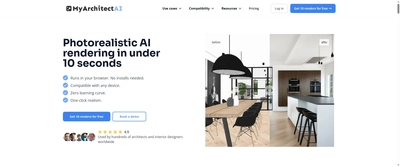
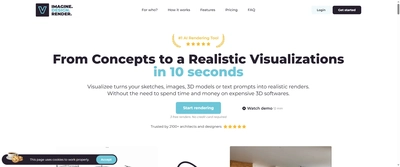
Compare Lumion with MyArchitect AI, Visualizee AI, Arko AI if you want alternatives in the same Architectural Visualization & Rendering category.

Quick Info

Category

Architecture & Spatial Design

Subcategory

Architectural Visualization & Rendering

Pricing

Paid

Last Updated

2025-10-28

Try Lumion

Company Information

Founded

1998

Headquarters

Garderen, Netherlands

Support Options

HTML Sitemap