Arko AI - AI Tool for Architecture & Design

4.30

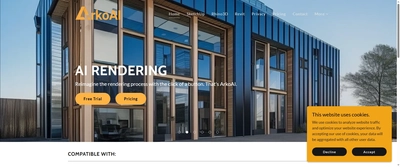
Arko AI is a revolutionary AI rendering plugin that enables architects and designers to 'Reimagine the rendering process with the click of a button.' The platform seamlessly integrates with major CAD software including SketchUp, Rhino3D, and Revit, bringing AI-powered visualization directly into familiar design environments. With automatic monthly or yearly billing starting at $39/month, Arko AI eliminates complex rendering workflows while delivering professional quality output through a cloud-based platform.
Key Features

AI rendering plugin for SketchUp (2020-2023, Windows & Mac)
Rhino3D integration (Rhino7, Coming Soon Rhino8, Windows)
Revit plugin support (2021-2024, Windows)
One-click AI rendering process
Unlimited renderings with Pro license
High-quality image resolution (768px height vs 608px free)
30+ additional rendering categories for accuracy
Seed setting for consistent rendering styles
Negative prompts for precise control
Free trial available
Automatic billing system with monthly/yearly options

Overview

Arko AI is a revolutionary AI rendering plugin that enables architects and designers to 'Reimagine the rendering process with the click of a button.' The platform seamlessly integrates with major CAD software including SketchUp, Rhino3D, and Revit, bringing AI-powered visualization directly into familiar design environments. With automatic monthly or yearly billing starting at $39/month, Arko AI eliminates complex rendering workflows while delivering professional quality output through a cloud-based platform.
Research Highlights & Evaluation Tips

Arko AI advertises key functions such as AI rendering plugin for SketchUp (2020-2023, Windows & Mac), Rhino3D integration (Rhino7, Coming Soon Rhino8, Windows), Revit plugin support (2021-2024, Windows), One-click AI rendering process. These capabilities are pulled directly from the vendor’s public materials so your team can gauge how the platform copes with everyday project requests.

Teams typically deploy Arko AI for workflows like Architectural visualization and presentation, Design concept development, Client visualization delivery. Mapping these scenarios to your current pipeline makes it easier to justify pilot budgets and set measurable KPIs.

Implementation checklist

  • Start with the free allocation to validate output quality and confirm the UI works on the hardware your team carries into the field.
  • Paid options such as Pro License unlock higher resolution exports and support commitments—use these tiers when client deliverables demand consistent turnarounds.
  • Save the vendor’s support channel in your runbook to escalate blockers quickly during time-sensitive submissions.

Best Fit, Tradeoffs, and Alternatives

When to shortlist Arko AI

  • Arko AI is most relevant when your team is actively comparing architectural visualization & rendering options rather than browsing a generic AI directory.
  • Use the free tier first to test output quality, prompt control, and export constraints before adding it to a client-facing workflow.
  • It is especially useful if your pipeline already touches SketchUp (2020, 2021, 2022, 2023), Rhino3D (Rhino7 currently, Rhino8 coming soon), Revit (2021, 2022, 2023, 2024).

Questions before adoption

  • Does Arko AI support the deliverable you need this week, such as Architectural visualization and presentation or Design concept development?
  • Can the exported files, resolution, and licensing terms survive review by your project lead, broker, or client?
  • Is there a clear owner on your team who will maintain prompts, before/after examples, and accepted output standards?

Technical Specifications

Collaboration: No
API Available: No
Mobile Support: No

Use Cases

Architectural visualization and presentation
Design concept development
Client visualization delivery
Rapid iteration rendering
Professional portfolio creation
Real estate development previews
Construction documentation visualization

Pricing

Free Plan

  • Basic AI rendering capabilities
  • Max file size: 800kb
  • Max image height: 608 pixels
  • Limited categories
  • One license for all platforms
Limitations:
  • • File size restrictions
  • • Lower image resolution
  • • Limited features

Paid Plans

Pro License

$39

Professional architects and designers

  • Unlimited renderings
  • High-quality image resolution (768px height)
  • 30+ additional rendering categories
  • Seed setting for consistent styles
  • Negative prompts for precise control
  • Access on all platforms (SketchUp, Rhino3D, Revit)
  • Automatic billing
  • Priority customer support
Billing: monthly

Integrations

SketchUp (2020, 2021, 2022, 2023)
Rhino3D (Rhino7 currently, Rhino8 coming soon)
Revit (2021, 2022, 2023, 2024)
Direct plugin integration within CAD environments
Cloud-based processing

Arko AI FAQ

What is Arko AI best for?

Arko AI is best evaluated for Architectural visualization and presentation, Design concept development, Client visualization delivery. Compare it against your required deliverable, export quality, and review process before adoption.

Is Arko AI free or paid?

Arko AI offers a free option or free starting allocation, but teams should review credit limits, export restrictions, and paid tiers before production use.

What should I compare Arko AI with?

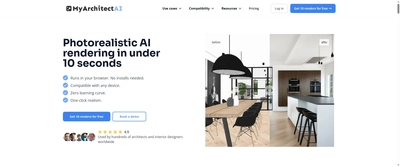
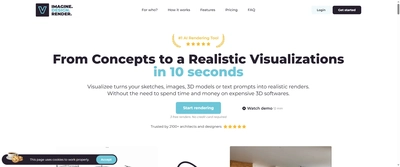
Compare Arko AI with MyArchitect AI, Visualizee AI, Veras by EvolveLAB if you want alternatives in the same Architectural Visualization & Rendering category.

Quick Info

Category

Architecture & Spatial Design

Subcategory

Architectural Visualization & Rendering

Pricing

Paid

Last Updated

2025-10-30

Try Arko AI

Company Information

Founded

2023

Support Options

Documentation

Follow

HTML Sitemap