Chaos - AI Tool for Architecture & Design

4.8

Chaos is the industry-leading provider of world-class visualization solutions, helping professionals share ideas, optimize workflows, and create immersive experiences with Academy Award-winning technology. Their AI-enhanced ecosystem delivers unmatched realism and storytelling capabilities, trusted by top architecture firms like Foster Partners and Hassell worldwide for achieving photorealistic results without sacrificing performance.

Key Features

V-Ray: Industry-standard photorealistic rendering
AI Enhancer for realistic people assets
AI Upscaler (2x/4x render enhancement)
AI Material Generator from photos
Veras AI animation transformation
Enscape real-time rendering
Chaos Cosmos asset library (7,000+ assets)
Multi-platform integration

Overview

Chaos is the industry-leading provider of world-class visualization solutions, helping professionals share ideas, optimize workflows, and create immersive experiences with Academy Award-winning technology. Their AI-enhanced ecosystem delivers unmatched realism and storytelling capabilities, trusted by top architecture firms like Foster Partners and Hassell worldwide for achieving photorealistic results without sacrificing performance.
Research Highlights & Evaluation Tips

Chaos advertises key functions such as V-Ray: Industry-standard photorealistic rendering, AI Enhancer for realistic people assets, AI Upscaler (2x/4x render enhancement), AI Material Generator from photos. These capabilities are pulled directly from the vendor’s public materials so your team can gauge how the platform copes with everyday project requests.

Teams typically deploy Chaos for workflows like Architectural visualization, Interior design rendering, Product design visualization. Mapping these scenarios to your current pipeline makes it easier to justify pilot budgets and set measurable KPIs.

Best Fit, Tradeoffs, and Alternatives

When to shortlist Chaos

  • Chaos is most relevant when your team is actively comparing architectural visualization & rendering options rather than browsing a generic AI directory.
  • Treat this as a paid workflow candidate and validate commercial terms before using outputs in proposals, listings, or client presentations.
  • It is especially useful if your pipeline already touches SketchUp, Revit, Rhino.

Questions before adoption

  • Does Chaos support the deliverable you need this week, such as Architectural visualization or Interior design rendering?
  • Can the exported files, resolution, and licensing terms survive review by your project lead, broker, or client?
  • Is there a clear owner on your team who will maintain prompts, before/after examples, and accepted output standards?

Use Cases

Architectural visualization
Interior design rendering
Product design visualization
Automotive design
Media and entertainment
Advertising and marketing
Real estate development presentations

Pricing

Integrations

SketchUp
Revit
Rhino
Archicad
Vectorworks
3ds Max
Maya
Cinema 4D
Houdini
Unreal Engine
Blender

Chaos FAQ

What is Chaos best for?

Chaos is best evaluated for Architectural visualization, Interior design rendering, Product design visualization. Compare it against your required deliverable, export quality, and review process before adoption.

Is Chaos free or paid?

Chaos is listed as a paid tool in this directory. Check the vendor site for current pricing because AI tool pricing changes frequently.

What should I compare Chaos with?

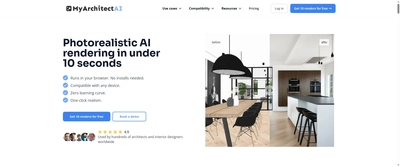
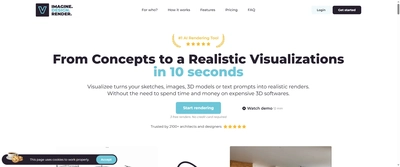
Compare Chaos with MyArchitect AI, Visualizee AI, Arko AI if you want alternatives in the same Architectural Visualization & Rendering category.

Quick Info

Category

Architecture & Spatial Design

Subcategory

Architectural Visualization & Rendering

Pricing

Paid

Last Updated

2025-10-28

Try Chaos

Company Information

Support Options

Accreditations

Industry awards
Professional recognition
Technology innovation
HTML Sitemap