Draftaid - AI Tool for Architecture & Design

4.6

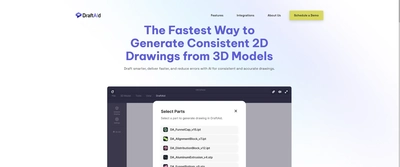
DraftAid is an innovative AI-powered CAD drawing automation platform that transforms the engineering and design workflow by instantly generating accurate 2D fabrication drawings from 3D models. The platform specializes in automating repetitive drafting tasks, enabling professionals to create faster, more consistent drawings while maintaining precision and compliance with industry standards. With seamless integration into existing CAD workflows, DraftAid has become an essential tool for engineers, fabricators, and manufacturers seeking to streamline their design-to-production processes.

Key Features

AI-powered 2D drawing generation from 3D models
Automated fabrication drawing creation
CAD platform integration and compatibility
Standard compliance checking
Batch processing capabilities
Customizable drawing templates
Dimension and annotation automation
Quality assurance and validation tools

Overview

DraftAid is an innovative AI-powered CAD drawing automation platform that transforms the engineering and design workflow by instantly generating accurate 2D fabrication drawings from 3D models. The platform specializes in automating repetitive drafting tasks, enabling professionals to create faster, more consistent drawings while maintaining precision and compliance with industry standards. With seamless integration into existing CAD workflows, DraftAid has become an essential tool for engineers, fabricators, and manufacturers seeking to streamline their design-to-production processes.

Research Highlights & Evaluation Tips

Draftaid advertises key functions such as AI-powered 2D drawing generation from 3D models, Automated fabrication drawing creation, CAD platform integration and compatibility, Standard compliance checking. These capabilities are pulled directly from the vendor’s public materials so your team can gauge how the platform copes with everyday project requests.

Teams typically deploy Draftaid for workflows like Engineering fabrication drawings, Manufacturing production documentation, Architectural construction drawings. Mapping these scenarios to your current pipeline makes it easier to justify pilot budgets and set measurable KPIs.

Implementation checklist

  • Start with the free allocation to validate output quality and confirm the UI works on the hardware your team carries into the field.
  • Paid options such as Professional, Enterprise unlock higher resolution exports and support commitments—use these tiers when client deliverables demand consistent turnarounds.

Best Fit, Tradeoffs, and Alternatives

When to shortlist Draftaid

  • Draftaid is most relevant when your team is actively comparing design assistance & automation options rather than browsing a generic AI directory.
  • Use the free tier first to test output quality, prompt control, and export constraints before adding it to a client-facing workflow.
  • It is especially useful if your pipeline already touches AutoCAD, SolidWorks, Inventor.

Questions before adoption

  • Does Draftaid support the deliverable you need this week, such as Engineering fabrication drawings or Manufacturing production documentation?
  • Can the exported files, resolution, and licensing terms survive review by your project lead, broker, or client?
  • Is there a clear owner on your team who will maintain prompts, before/after examples, and accepted output standards?

Use Cases

Engineering fabrication drawings
Manufacturing production documentation
Architectural construction drawings
Product design documentation
Quality control and inspection drawings
Technical illustration and manuals

Pricing

Free Plan

  • Basic drawing generation
  • Limited projects
  • Standard templates
Limitations:
  • • Monthly drawing limits
  • • Basic features only

Paid Plans

Professional

$79/month

Professional engineers and designers

  • Unlimited drawings
  • Advanced templates
  • Priority support
  • API access
Billing:

Enterprise

Custom pricing

Large organizations and manufacturers

  • Unlimited users
  • Custom integrations
  • Dedicated support
  • On-premise options
Billing:

Integrations

AutoCAD
SolidWorks
Inventor
Fusion 360
Revit

Draftaid FAQ

What is Draftaid best for?

Draftaid is best evaluated for Engineering fabrication drawings, Manufacturing production documentation, Architectural construction drawings. Compare it against your required deliverable, export quality, and review process before adoption.

Is Draftaid free or paid?

Draftaid offers a free option or free starting allocation, but teams should review credit limits, export restrictions, and paid tiers before production use.

What should I compare Draftaid with?

Compare Draftaid with Sketchpro AI, Opal AI if you want alternatives in the same Design Assistance & Automation category.

Quick Info

Category

General Design Tools

Subcategory

Design Assistance & Automation

Pricing

Paid

Last Updated

2025-10-30

Try Draftaid

Company Information

Founded

2023

Headquarters

Remote

5,000+ engineers and fabricators

Users

Support Options

HTML Sitemap